

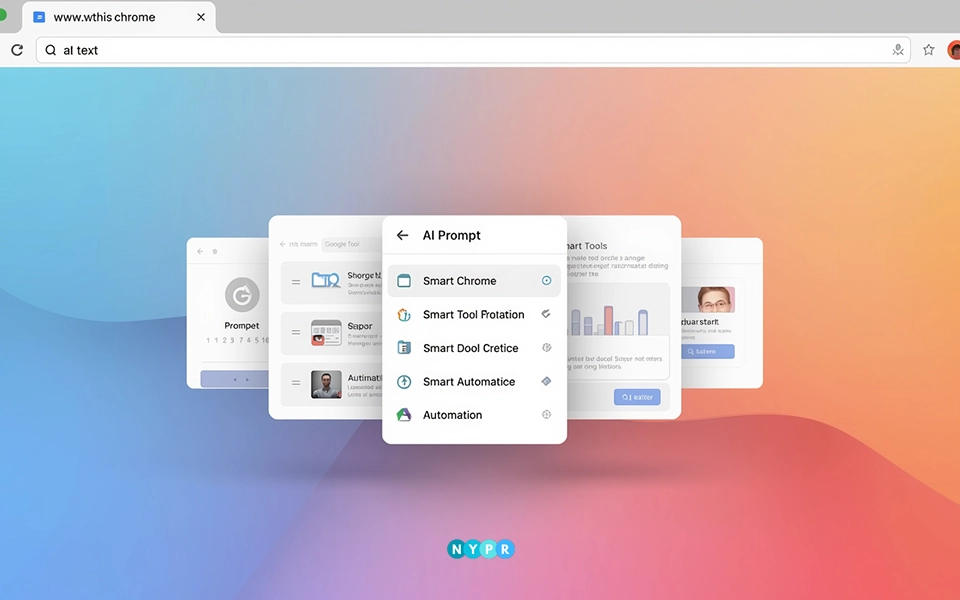
Google has introduced a new way to use AI inside Google Chrome. The feature is called “Skills in Chrome,” and it lets people turn their best AI prompts into tools they can use again and again.
Instead of typing the same thing every time, users can now save a prompt once and run it with a single click. This matters because more people now use AI while browsing. It helps them understand things faster, compare options, and get quick answers.
The update is useful for everyone, from students to professionals. It also shows how browsers are slowly becoming smarter and more helpful.
The Rise of AI Prompts in Chrome
Google has started rolling out “Skills in Chrome” through Gemini inside the browser. Before this, people used AI prompts for many small tasks. They asked questions, compared products, or tried to understand a topic in simple words.
But there was one big problem. Every time you opened a new page, you had to type the same prompt again. Even if you already knew the best way to ask, you still had to repeat it. That took time and effort.
Now, Chrome fixes that. With Skills, you can save your AI prompts and use them anytime. Once saved, the prompt becomes a shortcut you can run instantly. You can start a Skill by typing a slash ( / ) or a plus ( + ). The browser then runs your saved prompt on the current page.
It also works across many tabs. If you are checking five different websites, you can run the same prompt on all of them without rewriting it.
You can also edit your Skills. If you find a better way to ask something, you can update the prompt and improve it. In simple words, Chrome turns your AI prompts into tools that work for you.
A Shift Toward Smarter Everyday Browsing
AI is already part of daily browsing. People use it to answer quick questions, compare prices, check facts, and understand new topics. But until now, every task started from zero.
Skills change that. Now, a good prompt does not go to waste. You can keep it and reuse it anytime. This makes browsing faster. It also makes it easier for people who are not used to writing detailed prompts.
Over time, this could change how people use the internet. Instead of thinking, “What should I type?”, users may start thinking, “Which Skill should I use?”
It also reduces small frustrations. Repeating the same task again and again can feel tiring. Skills remove that repetition. More importantly, it turns AI prompts into something reliable. Once you find a prompt that works well, you can depend on it.
Bringing This Feature Into Everyday Browsing
This feature fits naturally into everyday browsing. It helps people save time by turning repeated tasks into quick actions. Whether it’s checking food details, comparing products, or simplifying a topic, the same prompt can be used again without starting over.
1. Breaking Down Food Choices With Ease
A user can save a prompt that breaks down nutrition from food labels. Every time they open a product page, the Skill explains calories, sugar, and protein in simple terms.
2. Making Product Comparisons Simpler
People often compare products across different websites. A saved prompt can list key features, price differences, and pros and cons in one place.
3. Simplifying Complex Topics Step by Step
Students can use Skills to simplify hard topics. A prompt can turn complex text into easy explanations or short summaries.
4. Pulling Key Information Faster
Users can scan long pages and pull out key points. This is useful for reading reports, blogs, or news articles.
5. Adding an Extra Layer of Awareness
Some prompts can help check if a website looks safe or risky. Chrome adds a confirmation step before any sensitive action, keeping users protected.
The Role of AI Prompts in Chrome Across Users
This update is useful for anyone who uses AI while browsing. It helps everyday users save time, supports teams in working faster, and gives power users a simple way to reuse their best AI prompts without starting over each time.
1. Making Everyday Tasks More Convenient
For everyday users, this feature makes things easier right away You do not need to remember how to write the perfect prompt. Once you create one, it is saved.
If you like cooking, shopping, or learning new things, Skills can save time and effort. It also helps people who are new to AI. They can start small and improve their prompts over time.
2. Improving Speed and Workflow Efficiency
For businesses, the benefit is speed. Teams often repeat the same tasks. They compare data, scan websites, and gather information. With Skills, these tasks become quicker.
Instead of writing instructions again, teams can reuse their best AI prompts. This helps them stay consistent and work faster. It can also improve teamwork. Teams can build shared prompts that everyone can use.
3. Building Flexible Prompt-Based Workflows
For advanced users, Skills offer more control. They can create detailed prompts that act like mini tools. These can be adjusted and improved over time.
While this is not full automation, it moves closer to it. It also opens new ideas for how browsers can work in the future.
The System That Powers These Actions
The system is simple by design. When you create a Skill, Chrome saves your prompt under your account. If you are signed in, it syncs across your devices.
This means you can use the same Skills on your laptop, phone, or tablet. When you activate a Skill, it reads the page you are on and applies your saved prompt.
Chrome also keeps safety in mind. If a prompt involves something sensitive, the browser asks for confirmation before taking action. It also uses built-in protections to keep your data safe.
The Next Stage of AI in Browsing
This feature is just getting started. Google is likely to expand it in the coming months. We may see better ways to organize Skills, like folders or categories. Sharing could also become possible. People may share useful prompts with friends or teams.
As more users try it, new use cases will appear. There are still questions, though. People will want to know how their data is used. They will also expect more control over how Skills behave.
Customization will be important. The more flexible the system becomes, the more useful it will be. For now, the focus is clear. Make AI easier to use during everyday browsing.
A Simple Feature With Lasting Impact
At first, Chrome’s AI prompts feature may feel like a small update. But it changes something important. It turns AI prompts into tools you can keep and reuse.
That simple idea can shape how people use the web. Instead of repeating the same steps, users can build their own shortcuts. Over time, these shortcuts become habits.
And those habits can change how we browse, learn, and work online. Browsers are no longer just windows to the internet. They are slowly becoming helpers. With Skills in Chrome, that future feels a little closer.













Leave a comment